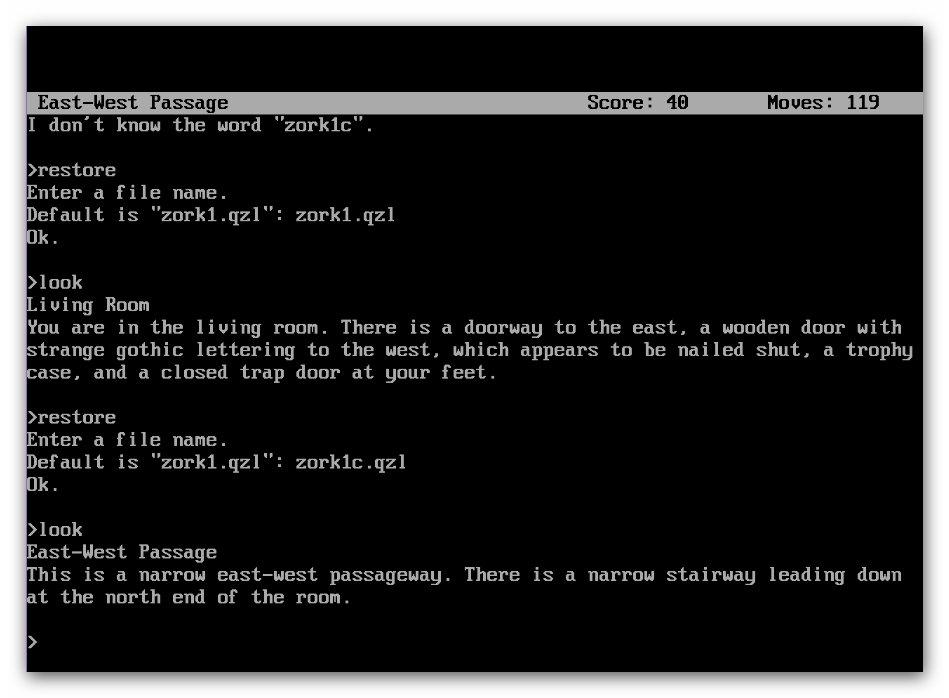
The last time I played Zork, I made sure to note down all the screen text. Questions/answers, possible branching paths, names of intermediate saves, etc. A rather long text file that takes time to update while progressing in the game.. But it allowed me to really advance. Maybe I should even draw a map as well.
In any case, it completely changed the way I play this kind of game, making these explorations much more immersive. And above all, being able to pick up where I left off months after the last save without being completely lost.
From my text file progression: // >south // Mirror Room // You are in a large square room with tall ceilings. On the south wall is an enormous mirror which fills the entire wall. There are exits on the other three sides on the room. // >examine mirror // There is an ugly person staring back at you.
🤣
Tonight I'm going to load an intermediate save and explore various branching paths.. and of course, update my notes.
-- BBS version of the game on End of The Line BBS
I plan to start a game using CPM later, and progress quickly to my last save using my notes. The CPM version with a CRT monitor is fantastic!
Fake Corepack Site Distributes Infostealer and Proxyware to Developers
A fraudulent website impersonating Corepack, the Node.js package manager tool, is distributing malware to developers. The attackers exploit timing around Corepack's removal from Node.js bundling, targeting developers searching for installation instructions. The site offers Windows executables that deliver OpenShield infostealer and proxyware, enrolling victim machines in bandwidth-sharing networks without consent. The payload steals browser credentials, SSH keys, establishes persistence, and routes third-party traffic through compromised systems. An alternative download path delivers adware and trojan components disguised as OperaGX installer. The site features AI-generated content with obvious errors, including confusing Yarn package manager with textile crafts. The domain has been reported to registrars for takedown after community members identified the threat.
Empty All Recycle Bins
synowebapi --exec api=SYNO.Core.RecycleBin method=start
Or:
synowebapi --exec-fastwebapi api=SYNO.Core.RecycleBin method=start version=1
Clear All Notifications in Web UI
(Might not be visible in the Web UI until it refreshes the list of notifications.)
synowebapi --exec api=SYNO.Core.DSMNotify method=notify clean=all action=apply runner=
If you omit the runner parameter, it will clear the notifications for the user admin.